PNG-1.png?width=120&height=31&name=AIPOWER%20LOGOPrimary%20logo%20(Colour)PNG-1.png)
3. Set up your system to IntelliCharge
5. Start using the IntelliCharge platform (you are here)
 You can always click the question mark in the top right corner to get help directly on the platform.
4.1. Check Your Pricing Preset
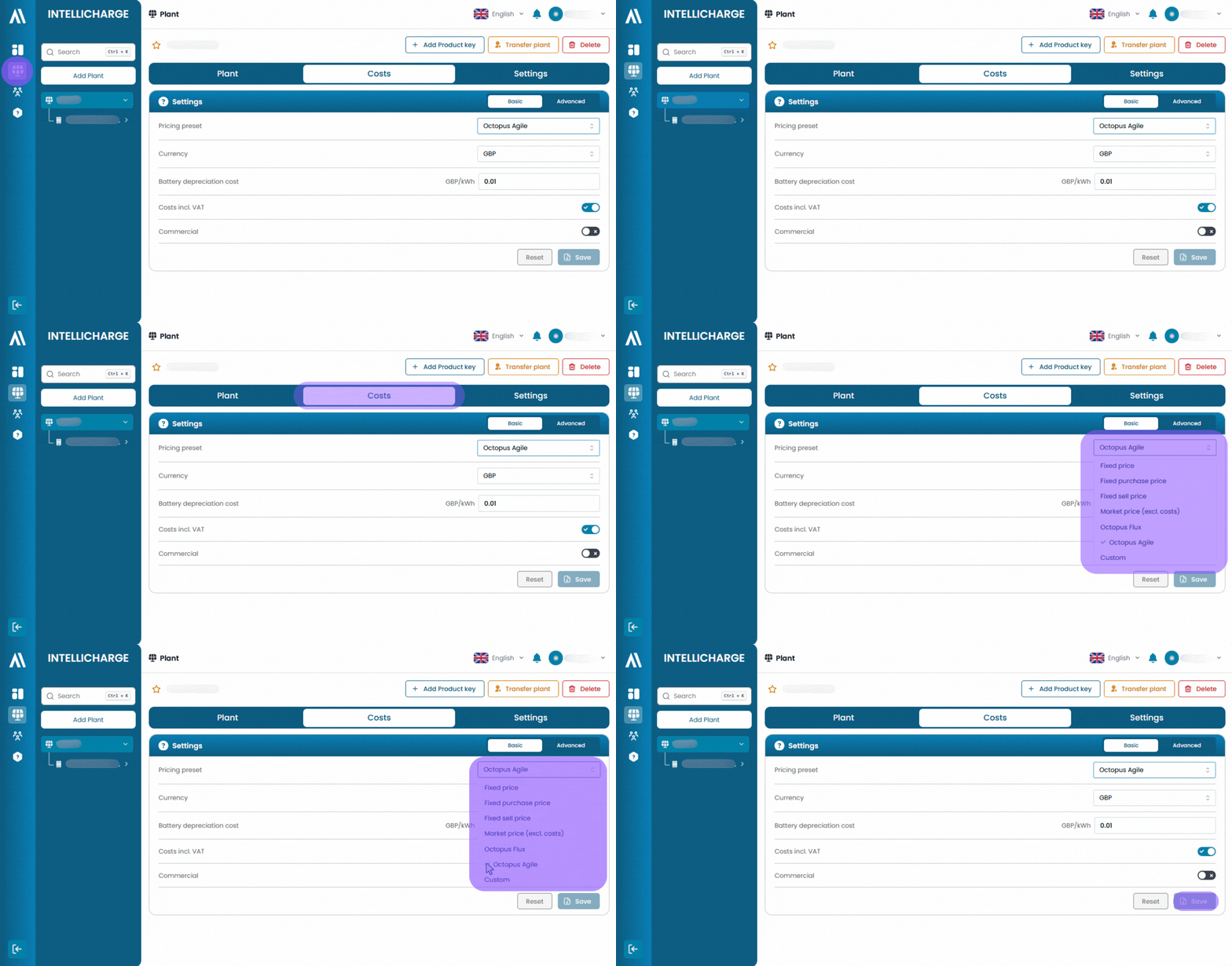
Your system is automatically set up with the Octopus Agile pricing preset. If you are on a different tariff, you need to update it after you have been forwarded to the platform:
- Go to "Plants" in the menu on the right.
- Select "Costs" in the horizontal menu.
- Choose your pricing preset in the drop-down menu.
- Click "Save".
4.2. Wait for the connection and first data
The dashboard will be empty to begin with, as the graph showing AI plans only appears once your system is connected. It is normal for a little time to pass between completing the setup and the system starting to receive data.
4.3. Let the platform learn your usage patterns
IntelliCharge uses the first 7 days to learn your energy usage patterns. After that, the platform begins optimising your system based on the data it has collected.
4.4. Explore the IntelliCharge platform
If you have more than one system, you can select which system you want to view data for at the top of the page. From there you have access to AI plans, price overviews, savings, EV lock, weather information and the other dashboard elements that make up your day-to-day overview and ongoing management.
Next to most headings throughout the platform, you will find a question mark icon that you can click at any time to learn more about that specific feature.
Congratulations, you have now set up your system with IntelliCharge!
Previous step
3. Connect your system
Click on your hardware brand below, to go to the guide for connecting your system.