PNG-1.png?width=120&height=31&name=AIPOWER%20LOGOPrimary%20logo%20(Colour)PNG-1.png)
1. Create an installer account (You are here)
2. Create a system for a customer
3. Transfer a system to a customer
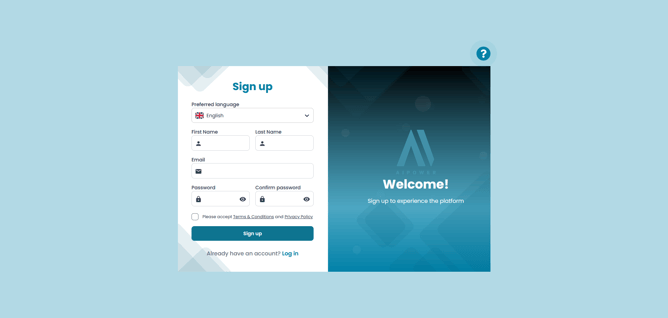
1.1. Go to the sign-up page
Enter your first name, last name and email address, and create a password. We recommend using your installer email address. If relevant, you can enter your company name as your first and last name.
Read and accept the Terms and Conditions and Privacy Policy. Then click "Sign up".
1.2. Verify your email
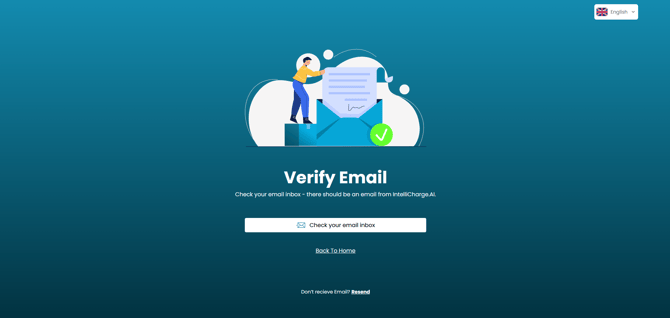
Once you have signed up, we will send you a confirmation email. Follow the link in the email to verify your email address and confirm the creation of your account.
If you have not received the email after a few minutes, click "Resend" and check your spam or junk folder.
1.3. Send us an email
Send an email to info@intellicharge.ai letting us know that you are an installer and have created your account.
Remember to send the email from the installer email address you used when creating the account. We will then change your account to an installer account.
1.4. Your installer account is ready
Once your account has been changed to an installer account, you will have access to the Installer page in the menu on the left when you log in to the IntelliCharge platform.
Here you will find, among other things, your installer code, which can be used to connect to customers' systems.
Next step:
2. Create a system for a customer